
7 posts tagged with "Bookmark Management"

Bookmark management related articles

View All Tags

Recover Lost or Duplicate Bookmarks

· 10 min read

Frank
Bookmarks UniSync's Creator

If bookmarks disappeared after a deletion or sync, or if duplicates suddenly filled your folders, pause syncing and editing on your other devices first. Do not run another sync or delete a large batch. The safe order is to save the current state with Save version, find the last good backup in Version history, and restore it with Restore this version. For duplicates, group exact URL matches and review them instead of deleting by title alone.

This guide is for Bookmark UniSync users who sync Chrome, Microsoft Edge, Firefox, or macOS Safari and need to recover deleted bookmarks, roll back a bad sync, or clean up duplicate bookmarks.
Bookmark Manager vs Native Bookmark Sync

· 12 min read
Frank
Bookmarks UniSync's Creator

After running Bookmark UniSync for more than a year, we keep seeing the same mismatch: people search for a bookmark manager when what they really want is to keep bookmarks consistent across Chrome, Edge and Safari. Others make the opposite mistake. They want tags, page archives and a research library, but install a tool built mainly to sync existing browser bookmarks.

Over that time, we have collected plenty of feedback and watched long-time users move from basic Chrome–Edge syncing to Safari support, version history, bookmark sharing and tab controls. As the product grew, the boundary became more important, not less: a bookmark manager puts links in a separate library; native bookmark sync lets you keep using the bookmark bar built into your browser. Neither is universally better.

This is not another comparison where the product with the longest feature list wins. Drawing on more than a year of operating the service, we will compare entry points, data flow, recovery and extra features so you can choose the right category before moving your bookmarks.

Custom Domain for Your Bookmark Navigation Site

· 7 min read
Frank
Bookmarks UniSync's Creator

The bookmark navigation page has been live for a while now. But lately one question keeps coming up:

"So what's the address of your navigation page again? I can't remember it."

It sounds like a joke, but it is a genuine problem. Tool domains are usually assembled from a product name and a vendor suffix. Opening it once in a while is fine. But if you open it every day, or you need to send it to a colleague, a family member, or a client, that address becomes a burden.

So we built custom domains: send us your domain or subdomain, add one DNS record, and you can reach your own bookmarks at something like bookmarks.yourname.com. If you already own a domain, the whole thing takes a minute or two.

Merge Bookmarks Before Syncing: Bookmark UniSync Adds Cross-Browser Bookmark Merge

· 12 min read
Frank
Bookmarks UniSync's Creator

You may use Chrome at home, Edge at work, and still have old bookmark HTML exports from previous computers. The stressful part is not whether those files can be imported. It is wondering whether an import will mess up the bookmark bar you already rely on, create hundreds of duplicates, or bury an important work link where you cannot find it later.

If you want reliable bookmark sync, especially cross-browser bookmark sync between Chrome and Edge, the first step should not feel like a gamble. It should give you one clean baseline that you can understand, review, and roll back from.

Bookmark UniSync now includes a local bookmark merge tool to make that first step feel safer. You add at least two browser-exported HTML files, review what will be kept and what will be removed, and only then decide whether to apply the result to the current browser or sync it to other browsers. The real value is not another button in the extension. It is being able to clean up years of scattered bookmarks without feeling like you are about to lose something.

How to Remove Duplicate Bookmarks

· 6 min read
Frank
Bookmarks UniSync's Creator

When the same URL appears in Work, Study, and Read Later, your bookmark bar becomes hard to use. Good duplicate bookmark cleanup is not about deleting every similar title. It is about matching exact URLs first, then letting you decide which copy to keep.

This Bookmark UniSync update adds one-click bookmark deduplication. It scans bookmarks, groups exact URL matches, shows each folder path, and creates a local backup before anything is deleted. This guide explains why duplicates appear, how to remove them safely, and how to avoid creating more duplicates across browsers.

Bookmark Navigation Page and Sharing Guide

· 5 min read
Frank
Bookmarks UniSync's Creator

The other day, someone in the group chat said something that stopped me cold:

"You have a bookmark navigation page? I had no idea."

Honestly, this kind of feedback is both heartwarming and heartbreaking.

Heartwarming because it means people would actually use it if they knew about it. Heartbreaking because — it's been there for a long time, and somehow people still don't know about it.

So today I'm writing this to make sure everyone knows what's available.


Cloud Bookmark Access Across Devices

· 7 min read
Frank
Bookmarks UniSync's Creator

Have you ever experienced this frustration?

You switched to a new computer, only to discover that hundreds of carefully curated bookmarks are nowhere to be found? You saw a great article on your work computer, wanted to read it on your phone at home, but couldn't remember the link? A colleague sent you an amazing website, you bookmarked it, but can't find it on another device?

If you've had these experiences, then this article is written for you.

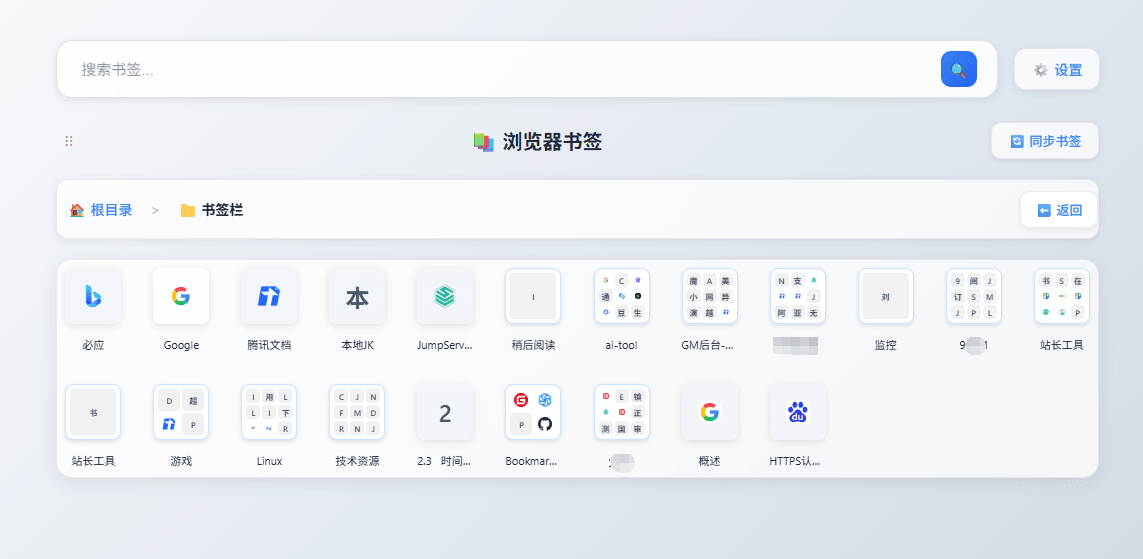
Bookmark UniSync cloud bookmark access page preview