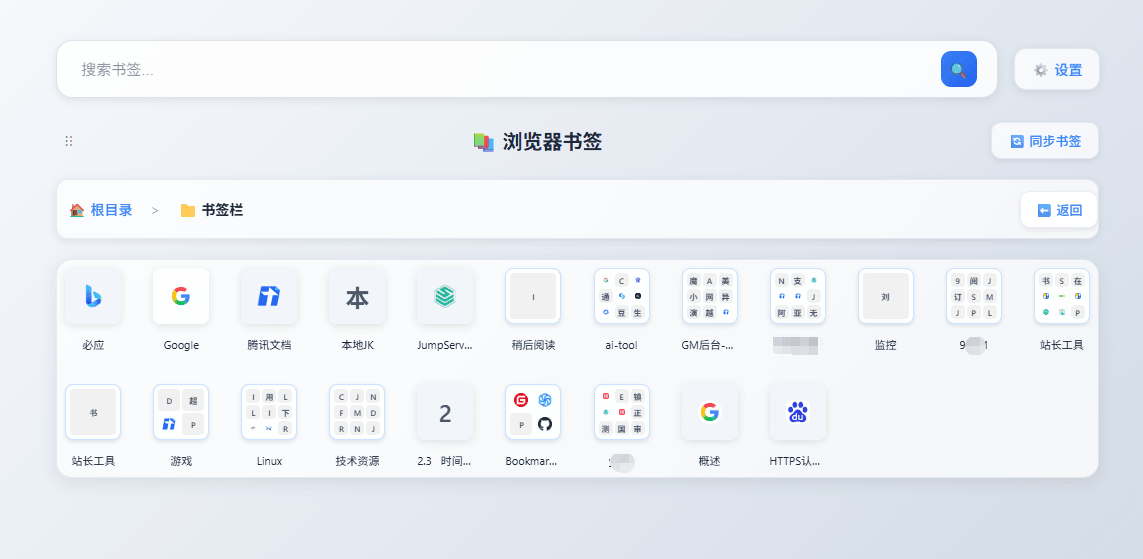
This FAQ answers the questions that come up around Bookmark UniSync itself. If you came for the steps instead, the guide on how to sync bookmarks across browsers is the one you want.
What to do if duplicate bookmarks appear?
After the bookmarks are messed up, you can click to delete all locals and then resynchronize.
When does Bookmark UniSync uploaded and downloaded?
The method for uploading and syncing bookmarks depends on your usage:
- Manual: Manual sync does not automatically upload or sync bookmarks; everything requires manual operation.
- Real-time push: A bookmark change is pushed to your other online devices as it happens. There is no timed or scheduled sync mode, so a device that was offline needs one manual sync when it comes back.
How does Bookmark UniSync sync bookmarks?
Bookmark UniSync uses a simple yet effective synchronization method:
-
Manual Sync: When you manually trigger a sync, Bookmark UniSync uploads your local bookmark changes to the server.
-
Real-Time Push: Bookmark UniSync keeps a persistent connection to the server, so a change made on one device is pushed to your other online devices immediately. Manual sync is free; real-time push is a paid feature with a free trial.
For a step-by-step tutorial, see How to Use Bookmark UniSync.
Version Management:
- In a reasonable range: Uploaded bookmark data will be retained, allowing you to restore to any version that was
previously saved. For example, if you have versions 1 through 10 saved, you can choose any version between 1 and 10 to
restore.
- Within a reasonable number of times: You can save specific versions, such as the 3rd or 5th version, and mark the
saved version when saving. The saved version will be retained unless it is manually deleted.。
Region Selection:
In order to provide better service, please be sure to select the appropriate region. Due to special reasons, a service
point has been set up specifically for mainland China. If you are a user in mainland China, try to choose a server in
this region to connect and provide services. It should be noted that the versions of the two regions are the same. The
only difference is that users in this region will experience lower latency when connecting to the server in mainland
China.
Frequently Asked Questions about Bookmark UniSync
- What is Bookmark UniSync?
Bookmark UniSync is a cross-browser bookmark synchronization tool for Chrome, Edge, Firefox, and Safari. Chrome,
Edge, and Firefox use browser extensions, while Safari sync uses the macOS app.
How does Bookmark UniSync work?
Safari Side:
-
Due to Apple's strict restrictions, there is no direct API to access Safari bookmarks.
-
A macOS application is used to monitor and read changes in Safari bookmarks.
-
When changes are detected, the app uploads the latest data to the server for syncing across other browsers.
Non-Safari browsers:
-
Bookmark UniSync provides browser extensions for Chrome, Edge, and Firefox.
-
The browser extension receives bookmark data from the server and synchronizes it when needed.
For a full comparison of syncing methods, see How to Sync Bookmarks Between Chrome, Edge and Safari.
Is Bookmark UniSync free?
Yes! The free features are quite useful, so there's no charge. If you need advanced features, you can pay for them.
Why charge a fee
All basic features are free, provided you continue to use them. The data generated by the tool is hosted on our servers,
requiring storage and bandwidth. Our current policy is: if you haven't paid and haven't logged in for more than 30
times, your account will be marked for deletion. This deletion allows others to use server resources. The primary
purpose of paying is to completely ensure your account isn't marked for deletion, and the second is to allow for more
server resources, such as saving more versions for recovery.
Does Bookmark UniSync support Firefox?
Yes. Bookmark UniSync now supports Firefox through the Firefox Add-ons extension.
Is Bookmark UniSync open source?
No, not currently.
-
The tool was initially built for personal use, and was later shared to see if others had similar needs.
-
It is not designed for commercial purposes.
There are two main reasons for not making it open source yet:
1️⃣ For personal users, the main priority is a secure way to sync browser bookmarks without worrying about technical
complexities.
- While deploying such a tool might be simple for industry professionals, for general users, it involves setting up
servers, installing various tools, and configuring containers, which can be challenging.
2️⃣ Bookmarks store webpage addresses—if authentication is not required, anyone could access them.
- If authentication is required, the sync tool cannot access usernames or passwords, ensuring no security risks.
Does Bookmark UniSync support local deployment?
If you enjoy custom setups and meet the requirements, local deployment is possible.
For non-local network deployment, the following conditions apply:
✅ A public server or network tunneling is required—otherwise, it won’t be useful.
✅ A domain name is needed. If the server is in China, a registered domain is required.
💡 Bonus:
If you appreciate this tool and wish to support its development, feel free to donate!
Take a screenshot of your contribution and send a message via the website—I’ll try to accommodate additional feature
requests! 😃
Is Bookmark UniSync available in extension stores?
Yes! It has been listed on the Chrome/Edge Web Store. 🚀
🚀 Chrome Web Store Edge Web Store
Always keep a backup of your bookmarks. See the Bookmark Backup Guide.
What is the best bookmark alternative for Safari?
It depends on whether you want Safari's native bookmark bar or just somewhere to keep links. Raindrop.io, Cubox and Arcmark hold your Safari bookmarks inside their own dashboard; Floccus, XBrowserSync and Bookmark UniSync write into the browser's own bookmark bar. The short answer table compares all six.